
Free
Forever€0
- 1 container, 3 active recipients
- Uploads up to 100 MB
- Sign up in minutes

Secure access to Azure Blob Storage for your teams and partners
No Azure portal, no shared storage keys, no SFTP server. People work in a familiar file explorer, and your Azure permissions stay the source of access.
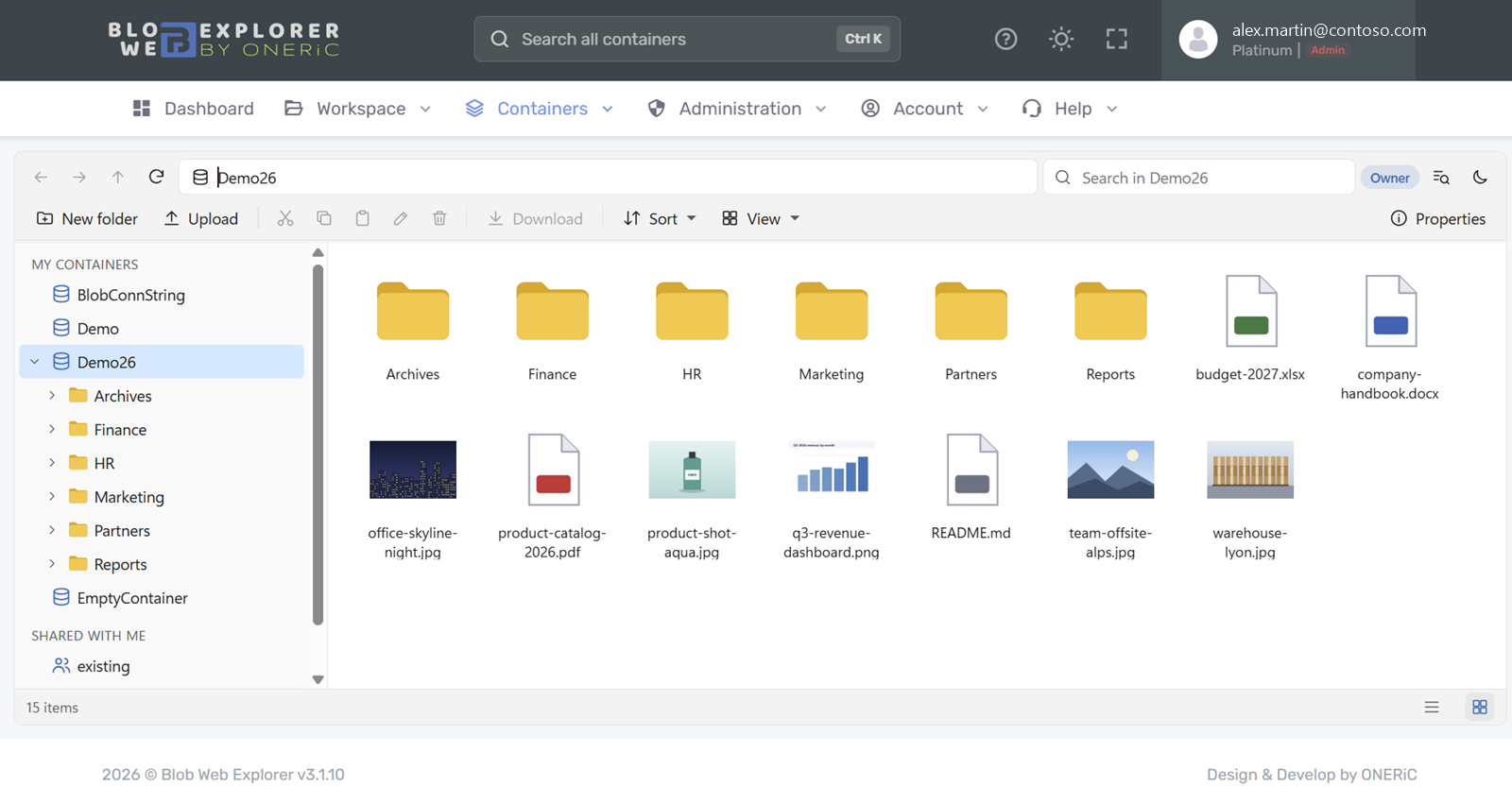
Blob Web Explorer gives the people who use the files a simple workspace, while IT keeps control.
No data migration: Blob Web Explorer works with the containers you already have.
Link existing containers with your Azure account, a SAS URL or a connection string, or discover them directly from Azure.
Assign Administrator, Contributor or Reader roles from Microsoft Entra ID, and share containers with read or write access and an end date.
Teams browse, preview, search and upload. You follow the activity log and storage usage.
Folder tree, drag and drop, right-click menus and keyboard shortcuts. Preview images, PDF, video, audio and text files without downloading them.
Explore the file explorer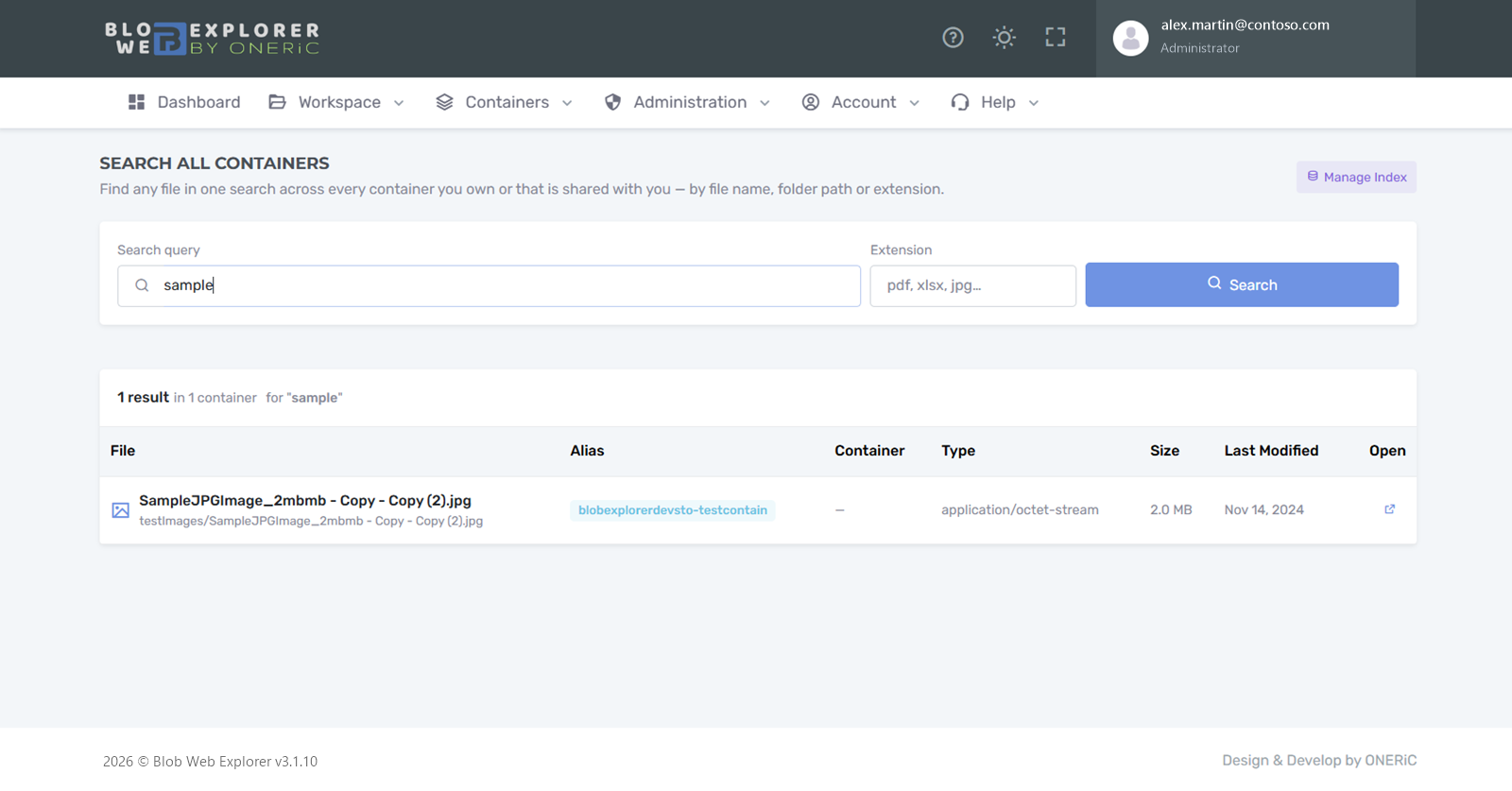
Find any file by name or folder path across all the containers you can access, even in different storage accounts, and open it in one click.
See how search worksRead or write access, start and end dates, an optional reason. A share never outlives the access of its container, and you can disable it at any time.
See sharing in detail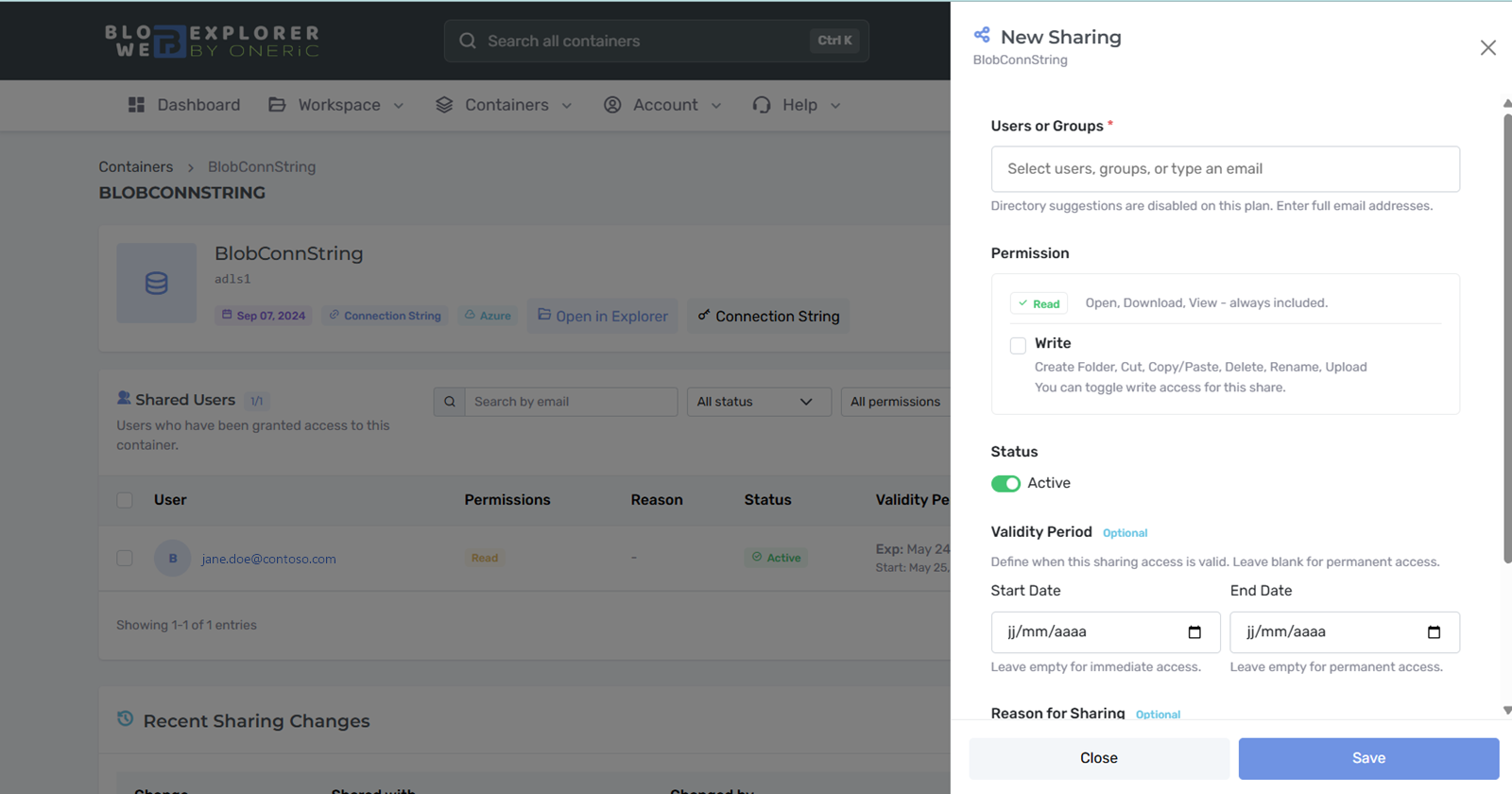
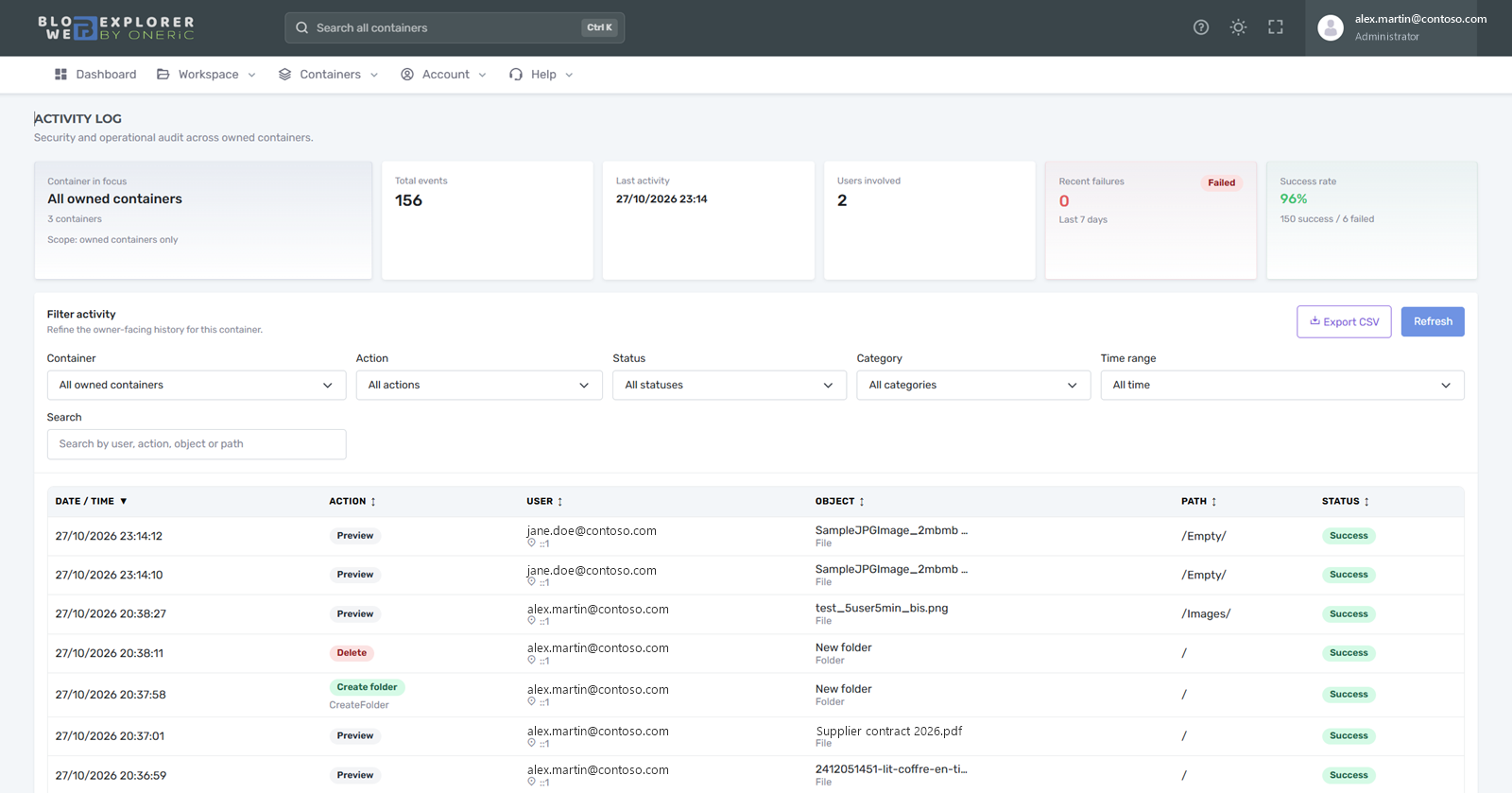
File and sharing operations are recorded with user, outcome and time. Usage & costs shows container sizes, inactive data and indicative costs.
See activity and usageBlob Web Explorer never reaches your storage with its own identity. Each container uses the access you provide.
Learn moreUsers sign in with their work account and receive the role you assign from your own tenant.
Learn moreFile and sharing operations are recorded with user, action, outcome, time and IP address.
Learn moreReplace SFTP: each partner gets a folder with the access and end date you decide.
Read the use caseBusiness teams open and download the files your data teams produce, without asking IT.
Read the use caseSearch across storage accounts and preview media in large libraries.
Read the use caseForever€0
Per month€29 or €290/year
From€249 /month, 3-year agreement
€299 with a 1-year agreement · €349 month-to-month
Via Azure MarketplaceAt launch
No. Blob Web Explorer connects to your existing Azure Blob containers. Your files stay where they are.
Yes. With Enterprise, your users sign in with your Microsoft Entra ID, and you assign the Administrator, Contributor and Reader roles from your own tenant.
Those tools are built for Azure administrators. Blob Web Explorer is built for the people who use the files: a browser-based explorer, time-bound sharing, one search across containers and an activity log, without giving every user an Azure administration workflow or installing a desktop tool. See the full comparison.
Yes, through the Blob endpoint with a virtual folder model. Native directory ACL management is not provided in the interface.
Yes. Start with the free plan on your own containers. For Enterprise, contact us and we can give you access to an enterprise demo environment for a week.
Create your free account and link your first container in minutes. A question about Enterprise or pricing? Write to us.